Additional Settings
This section describes how to configure CredoID using config.additional.json
config.additional.json
There are advanced configuration options available in a separate file located at C:\ProgramData\Midpoint-Security\CredoID Service\config.additional.json
This is default configuration created by fresh installation:
{
  "DatabaseProvider": "Postgre",
  "CoreSettings": {
    "HostIpAddress": null
  },
  "Kestrel": {
    "Endpoints": {
      "Http": {
        "Url": "http://0.0.0.0:8090"
      }
    }
  },
  "WebApiSettings": {
    "JwtIssuer": "https://midpoint-security.com",
    "JwtExpireMinutes": 720,
    "JwtRefreshExpireMinutes": 1440,
    "UseHttpsRedirection": false,
    "JwtKey": " "
  },
  "HidSettings": {
    "HereIAmLatency": 10,
    "ConfigurationAskTimeout": 20,
    "ContainerAskTimeout": 10,
    "DeviceProcessorAskTimeout": 20,
    "NtpServers": [],
    "ConnectionPort": 4070,
    "PtpGateways": {}
  },
  "ScpSettings": {
    "ConfigurationAskTimeout": 180,
    "ContainerAskTimeout": 30,
    "MaxFloors": 64,
    "MaxFloorAccessLevels": 64,
    "DeviceProcessorAskTimeout": 30,
    "TagAskTimeout": 20,
    "MercuryServerPort": 3001,
    "AeroServerPort": 3002,
    "ForcedOpenAlarm": {
      "ColorOn": 1,
      "ColorOff": 0,
      "TicksOn": 2,
      "TicksOff": 2,
      "Repeat": 5,
      "Beeps": 5,
      "Delay": 2
    },
    "HeldOpenAlarm": {
      "ColorOn": 1,
      "ColorOff": 0,
      "TicksOn": 2,
      "TicksOff": 2,
      "Repeat": 5,
      "Beeps": 2,
      "Delay": 5
    }
  },
  "MobileSettings": {
    "Port": 58032,
    "ConfigurationAskTimeout": 60
  },
  "MusdoSettings": {
    "CheckConnectionInterval": 20,
    "ConfigurationAskTimeout": 20,
    "ConfigurationChannelTimeout": 30,
    "DiagnosticsPort": 20005,
    "EncryptedConfigurationPort": 20002,
    "SyncDateTime": true
  },
  "SupremaSettings": {
    "ServerPort": 4000,
    "ServerAddress": "localhost",
    "ConfigurationAskTimeout": 120,
    "CardByteOrder": 1,
    "DisableGSdkService": false
  },
  "DigifortSettings": {
     "Port": 8601
  },
  "TriggerSettings": {
    "MaxTriggerAgeMinutes": 10,
    "TriggerWorkerCount": 5
  }
}
Do not change any of values that are not described in following section.
| Parameter | Value | Description |
|---|---|---|
"Url" |
"http://0.0.0.0:8090" | Allows to change default host port, interface |
"JwtExpireMinutes" |
720 |
Period in minutes after operator will be required to login again. |
"UseHttpsRedirection" |
boolean |
Redirect all HTTP requests to HTTPS. |
| HidSettings | Settings for HID VertX controllers | |
HereIAmLatency |
10 |
Allows to set additional waiting time (in seconds) for HereIAm response. |
NtpServers |
IP address(es) for NTP server. | |
ConnectionPort |
4070 |
Change default HID VertX controller listening port. |
DisableDST |
boolean |
Disable DST on HID VertX controller. Controller will sync time with CredoID instead of Windows locale. |
| ScpSettings | Settings for Mercury and HID Aero controllers | |
StrikeMode |
2 |
Enable maglock support for all doors. Strike relay will close after door is closed, not open. |
MaxFloors |
64 |
Number of elevator floors supported. Value between 0-128. |
MaxFloorAccessLevels |
64 |
Number of elevator access levels supported. Value between 0-256. |
MercuryServerPort |
3001 |
Change default Mercury controller listening port. |
AeroServerPort |
3002 |
Change default HID Aero controller listening port. |
| ForcedOpenAlarm | Default OSDP reader template values for forced open alarm event. | |
| HeldOpenAlarm | Default OSDP reader template values for held open alarm event. | |
ColorOn |
1 |
Color values: Off = 0, Red = 1, Green = 2, Amber = 3, Blue = 4. |
ColorOff |
0 |
If set to 0 only ColorOn value will be used. Set > 0 to have interchangeable blinking colors. |
TicksOn |
2 |
Number of ticks per 0.1 second for ColorOn. Set 0 for constant LED. |
TicksOff |
2 |
Number of ticks per 0.1 second for ColorOff. |
Repeat |
5 |
Repeat count per itteration. |
Beeps |
2 |
Count of beeps per interration. |
Delay |
5 |
Pause between itterations in seconds. |
| MobileSettings | Mobile reader application related settings | |
Port |
58032 |
Change mobile reader application listening port. |
| MusdoSettings | ASB Security Musdo panels related settings | |
DiagnosticsPort |
20005 |
Change Musdo panel diagnostic channel listening port. |
EncryptedConfigurationPort |
20002 |
Change Musdo panel encrypted configuration listening port. |
SyncDateTime |
boolean |
Synchronize Musdo panel internal time with CredoID server. Set false if you are using NTP in Musdo. |
| TriggerSettings | Trigger related settings. | |
MaxTriggerAgeMinutes |
10 |
Set time for event age. I.e. events that will come from devices older than set value will not trigger automation. |
| TanlockSettings | TANlock related settings. | |
ReverseCardData |
boolean |
Byte reversal. |
EnabledCardMediumType |
19 |
Select a single card medium type to be enabled for TANlock. (ID 19 = only '19_card_uid' will be enabled). |
How to add certificate
Get an SSL/TLS certificate from a Certificate Authority (CA). If necessary, convert it to PEM format.
Add following lines to "Kestrel" configuration:
  "Kestrel": {
    "Endpoints": {
      "Http": {
        "Url": "http://0.0.0.0"
      },
      "HttpsInlineCertAndKeyFile": {
        "Url": "https://0.0.0.0",
        "Certificate": {
          "Path": "C:\\ProgramData\\Midpoint-Security\\CredoID Service\\cert.pem",
          "KeyPath": "C:\\ProgramData\\Midpoint-Security\\CredoID Service\\serverkey.pem",
        }
      },
    }
  },
How to enable Windows authentication
Setup guide in knowledge base:
Windows SSO — Setup Guide (non-domain / workgroup machine)
In the CredoID service configuration JSON (config.additional.json) , add:
"AuthenticationSettings": {
  "Windows": {
    "IsEnabled": true,
    "AutoCreateOperator": true,
    "AutoCreateOnlyWithRoles": true,
    "RoleMap": {
      "<COMPUTER_NAME>\\<GROUP_NAME>": [ "<CREDOID_ROLE>" ]
    }
  }
}
Details that matter:
- The key must be the group name exactly as
whoami /groupsshows it,
with the backslash doubled (\\) because this is JSON. - The value is a list, so one group can grant several roles:
[ "System administrator", "User administrator" ]. - Add one line per group if you need multiple mappings.
Restart the CredoID service
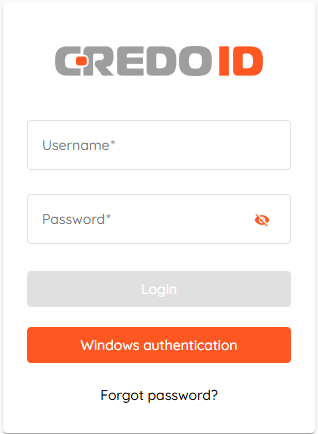
The config is read at startup. Restart the service, then "Windows authentication" button should be active.