¶ Satel Integra onfiguration
This section covers Satel Integra configuration with CredoID only, before using the devices, it must be configured with Satel provided tools.
¶ Adding the device
After Satel Integra device has been configured, it can be added and used with CredoID.
- Navigate to "Hardware" -> "Devices" tab.

- Click "Add" button.
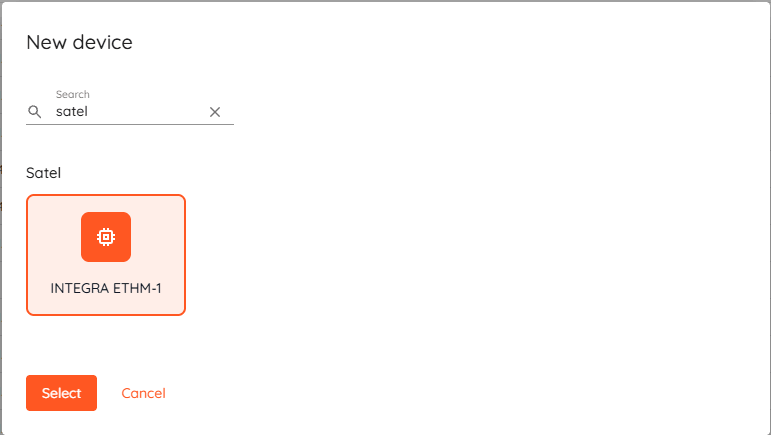
- Select "INTEGRA ETHM-1"from the list and click "Select".
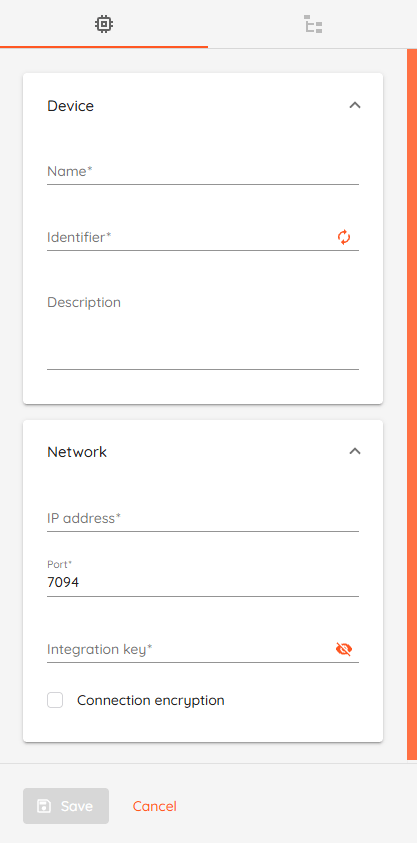
- Name: Type unique name for device.
- Identifier: Enter MAC address without any separators.
- Description: Optional field to describe the device.
- IP address: Type device IP address.
- Port: Default value 7094.
- Integration key (Service code): Default value 12345.
- Connection encryption: Enable to encrypt connection. "Integration encryption key" will be required.
- Click "Save" button.
After saving the device, if device status should change to "Online" after few moments. - Wait until device synchronizes and Configuration state becomes "Completed".
After synchronization - modules, inputs and areas(partitions) will be added automatically to CredoID.
¶ Areas
This sections covers security areas actions, which can be performed using CredoID.
- ARM: arms areas, if all inputs assigned to that area are in secure state or bypassed.
- DISARM: disarms the area regardless of area state.
| Area state | Description |
|---|---|
| Disarmed | Area is disarmed. Alarms are ignored. |
| Armed | Area is armed and in secure mode. |
| Exiting Area | Area is in exiting state. During exit period alarms are ignored. |
| Alarm | Area alarm state, triggered by input |