Satel Integra
This page contains information how to configure Satel Integra device with CredoID
Satel Integra onfiguration
This section covers Satel Integra configuration with CredoID only, before using the devices, it must be configured with Satel provided tools.
Adding the device
After Satel Integra device has been configured, it can be added and used with CredoID.
- Navigate to "Hardware" -> "Devices" tab.

- Click "Add" button.
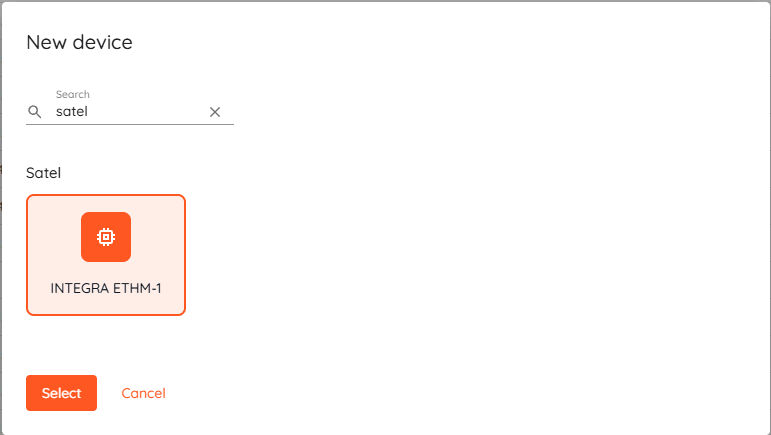
- Select "INTEGRA ETHM-1"from the list and click "Select".
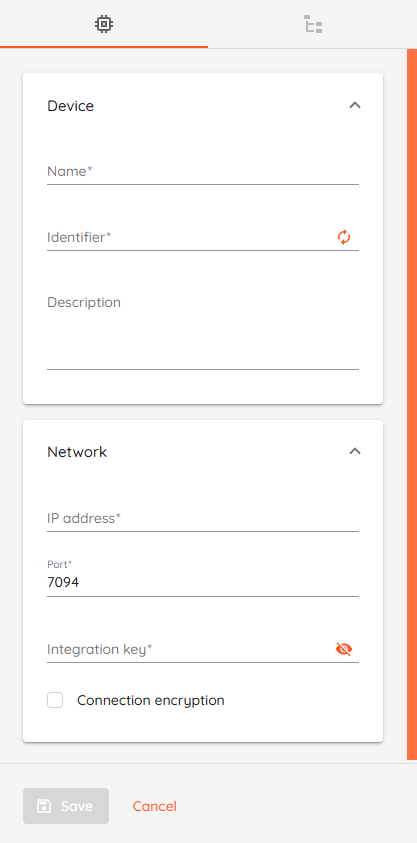
- Name: Type unique name for device.
- Identifier: Enter MAC address without any separators.
- Description: Optional field to describe the device.
- IP address: Type device IP address.
- Port: Default value 7094.
- Integration key (Service code): Default value 12345.
- Connection encryption: Enable to encrypt connection. "Integration encryption key" will be required.
- Click "Save" button.
After saving the device, if device status should change to "Online" after few moments. - Wait until device synchronizes and Configuration state becomes "Completed".
After synchronization - modules, inputs and areas(partitions) will be added automatically to CredoID.
Areas
This sections covers security areas actions, which can be performed using CredoID.
- ARM: arms areas, if all inputs assigned to that area are in secure state or bypassed.
- DISARM: disarms the area regardless of area state.
| Area state | Description |
|---|---|
| Disarmed | Area is disarmed. Alarms are ignored. |
| Armed | Area is armed and in secure mode. |
| Exiting Area | Area is in exiting state. During exit period alarms are ignored. |
| Alarm | Area alarm state, triggered by input |